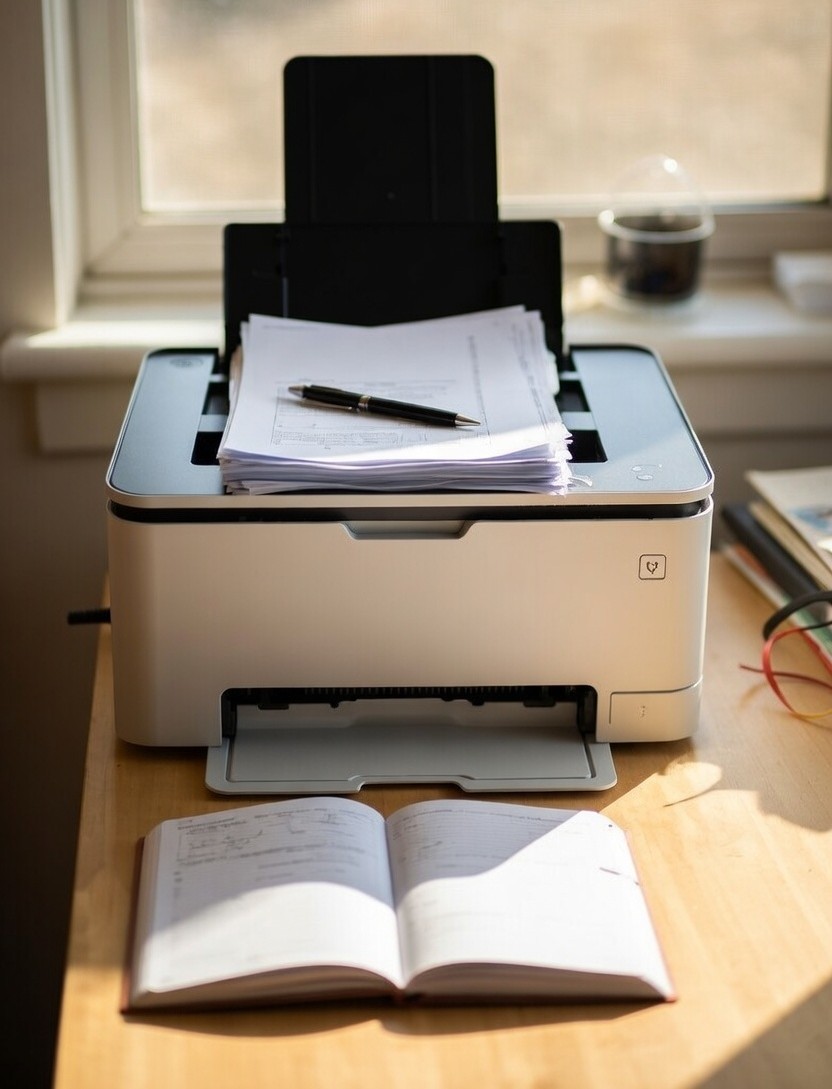
If you’re looking for a side hustle that pays real money on a flexible schedule, loan signing is one of the best-kept secrets out there, especially for single parents. You can earn $75 to $200 per appointment, most signings take about an hour, and you set your own schedule around school pickup, bedtime routines, and everything else life throws at you.
But here’s something that doesn’t get talked about enough: the right printer is non-negotiable. It’s not an accessory, it’s the backbone of your entire business. Show up to a signing with smeared documents, incorrectly sized pages, or a package printed out of order, and you may never hear from that title company again.
This guide breaks down the five best laser printers for loan signing agents, what to look for before you buy, and the other gear you’ll need to set up a legitimate, professional home office. Whether you’re just starting or looking to upgrade, this is your complete printer buying guide.
We also recommend our guide on the Best High-Paying Virtual Assistant Niches Every Single Parent Should Know.
Table of Contents
Affiliate Disclosure: As an Amazon Associate, we may earn a commission from qualifying purchases at no additional cost to you
What Is a Loan Signing Agent, Anyway? (Quick Overview for Newcomers)
A loan signing agent is a notary public who specializes in walking borrowers through mortgage and real estate loan documents at closing. When someone buys a house or refinances their mortgage, they need a notary present to witness and notarize their signatures on a stack of legal documents.
That’s where you come in.
Loan signing agents can make $75–$200 per appointment, and a well-trained agent can complete an appointment in about an hour. Many signing agents work evenings and weekends, which makes it a genuinely realistic hustle for parents who have demanding schedules.
To get started, you typically need to become a commissioned notary in your state, take a loan signing course, pass a background check, and get your equipment set up. Purchasing one of the best laser printers for loan signing agents is one of your most important startup investments, and getting it right from day one saves you a lot of headaches.
Why Your Printer Choice Matters More Than You Think
This isn’t like picking a printer for printing school permission slips. Loan document packages can run anywhere from 150 to 300 pages, and they need to be printed perfectly; right paper size, right order, clear and smudge-free, every single time.
Here’s what’s actually at stake:
Document rejection. Loan documents will be separated and scanned by the company you’re sending them to. Printing double-sided will complicate that process, which could result in you never getting a signing from that company again.
Ink smearing. Inkjet ink can smudge or smear more quickly, which can cause documents to be rejected by closing companies. Some lenders specifically instruct agents not to use inkjet printers at all.
Wasted time. Laser printing speeds range from 12 to 20 pages per minute (and the best can print up to 45 pages per minute), while inkjet printers run from 3 to 13 pages per minute, essentially two to four times slower. When you’re printing a 250-page package before rushing out the door, that difference is massive.
Higher long-term costs with inkjet. The cost of printing in black and white with an inkjet cartridge generally ranges from 5 to 7 cents per page. A laser printer’s cost per page can range between 2 and 4 cents, and some laser printers can get that down to less than a penny per page.
Bottom line: you need one of the best laser printers for loan signing agents. Full stop.
The #1 Feature to Look for: Dual Tray Capability
Before we get into the specific models, you need to understand one feature that separates a workable signing agent printer from one of the best laser printers for loan signing agentsa: the dual tray.
Dual tray laser printers are mandatory for notary signing agents because they allow you to print legal and letter paper on a single laser printer while keeping the documents in the original order. The printer has two trays, one for letter-sized paper and one for legal-sized paper, which lets it print both paper sizes while keeping the original document in order.
Why does this matter? Loan document packages are not organized with all the letter-size pages first and then all the legal-size pages; they’re all intermixed. You need a printer that handles that automatically.
If a loan signing agent prints a legal-sized document on a letter-sized piece of paper (or vice versa), there is a chance the loan documents will not be accepted, and a re-sign will need to happen. If a re-sign happens, that loan signing agent likely won’t get another signing from that company again.
That’s not a risk worth taking to save $50 on a printer.
Here’s a quick summary of the key specs to look for with the best laser printers for loan signing agents:
- Dual tray (letter AND legal size — not just two letter trays)
- Print speed of 40+ pages per minute
- Monochrome only (black and white — no need for color)
- Single-sided printing only (never duplex for loan docs)
- 600 dpi or higher resolution
- Wireless or Ethernet connectivity
- High-yield toner availability
Now let’s get into the printers.
The 5 Best Laser Printers for Loan Signing Agents
1. Brother HL-L5200DWT – Best Overall for New and Mid-Volume Agents

The Brother HL-L5200DWT is the printer most commonly recommended by experienced loan signing agents, and for good reason. It’s a true dual tray machine with strong speed, solid reliability, and a price point that makes sense for someone just building their business.
The HL-L5200DWT delivers a fast print speed of up to 42 pages per minute with sharp resolution, wireless networking, and dual paper trays. That’s fast enough to print a full 250-page loan package in about six minutes, leaving you plenty of time to get dressed and get out the door.
The “T” at the end of the model name is key; it indicates the printer comes with the second tray already included, rather than requiring a separate purchase. This is the version you want.
Why it’s great for single parents: It’s a workhorse that requires minimal babysitting. Load your paper, send the file, and it handles the rest. The wireless connectivity means you can send print jobs from your laptop in another room; no cords, no hassle.
Specs at a glance:
- Print speed: Up to 42 ppm
- Dual tray: Yes (included)
- Connectivity: Wi-Fi, USB, Ethernet
- Toner: High-yield TN-850 available
- Monthly duty cycle: Up to 100,000 pages
Pros:
- True dual tray right out of the box
- Fast and reliable
- Excellent toner economy
- Strong community of signing agent users who can help troubleshoot
- Amazon Dash Replenishment compatible (auto-orders toner when low)
Cons:
- Larger footprint — plan for desk space
- No built-in scanner (you’ll need one separately)
Also grab: Brother TN-850 High Yield Toner Cartridge on Amazon — the high-yield version lasts significantly longer and drops your cost per page dramatically.
2. Brother HL-L6200DWT – Best for High-Volume Agents

If you’re doing multiple signings per day or planning to scale your business quickly, the HL-L6200DWT is the natural step up from the L5200. It’s faster, holds more paper, and comes with a super high-yield toner option that’s hard to beat on cost.
The HL-L6200DWT produces high-quality prints at up to 48 pages per minute and offers cost-effective printing thanks to a super high-yield 12,000-page replacement toner cartridge. That means fewer toner changes, lower cost per page, and less time managing supplies.
The HL-L6200DWT also offers advanced security features to help protect sensitive documents and restrict access to the device and network, and can be shared with others via its wireless 802.11b/g/n or Gigabit Ethernet interface. For agents handling confidential borrower information, those security features aren’t just a nice-to-have.
Why it’s great for single parents: Once you’re consistently booking signings, the per-page cost savings on the L6200 start adding up fast. The larger paper capacity also means less frequent reloading, one less thing to worry about on a busy day.
Specs at a glance:
- Print speed: Up to 48 ppm
- Dual tray: Yes (included with DWT version)
- Connectivity: Wi-Fi, Gigabit Ethernet, USB
- Toner: Super high-yield TN-890 (12,000 pages)
- Monthly duty cycle: Up to 150,000 pages
Pros:
- Fastest Brother in this class
- Super high-yield toner reduces supply costs significantly
- Large paper capacity
- Triple-layer security for sensitive documents
- Amazon Dash Replenishment ready
Cons:
- Higher upfront cost than the L5200
- Physically larger machine
- Slight delay when waking from sleep mode (easily managed)
Also grab: Brother TN-890 Super High Yield Toner on Amazon – this is the toner that makes the L6200 so economical long-term.
3. HP LaserJet Pro M404dn – Best HP Option for Signing Agents

Brother dominates most signing agent forums, but HP has a loyal following too, and the LaserJet Pro M404dn is their strongest contender for this use case. It’s fast, produces exceptionally crisp output, and HP’s reliability track record is hard to argue with.
The HP LaserJet Pro M404dn is designed to let you focus on growing your business, with HP Wolf Pro Security built into the printer hardware, firmware, and OS to protect company data and safeguard against cyberattacks. For a business built on handling sensitive mortgage documents, that level of built-in security matters.
The M404dn prints at up to 38 pages per minute, slightly slower than the top-end Brothers, but still more than fast enough for most signing volumes. The print quality on HP’s LaserJet line is consistently crisp and professional.
Important note: The base M404dn model is a single-tray printer. To get dual tray functionality, you’ll need to add an optional second tray. Factor that into the total cost when comparing prices. For signing agents who want a true out-of-the-box dual tray setup, the Brothers above have a convenience edge here.
Why it’s great for single parents: If you’re already comfortable with HP products and prefer their ecosystem, this is your best choice. The wireless setup is straightforward, and HP’s support resources are widely available.
Specs at a glance:
- Print speed: Up to 38 ppm
- Dual tray: Requires optional tray add-on
- Connectivity: Ethernet, USB (Wi-Fi on dw version)
- Toner: HP 58A/58X available
- Monthly duty cycle: Up to 80,000 pages
Pros:
- Excellent print quality and sharpness
- Strong security features built-in
- Compact footprint compared to Brother equivalents
- Well-known brand with widely available support
Cons:
- Base model is single tray — additional tray purchase required
- Slightly slower than top-tier Brothers
- OEM toner can be pricier; shop third-party carefully
Also grab: HP LaserJet 550-Sheet Paper Tray on Amazon – this is the add-on you’ll need to create the dual tray setup essential for loan docs.
4. Brother MFC-L5915DW – Best All-in-One for Agents Who Also Need a Scanner

Here’s something worth knowing: some escrow companies require signing agents to scan completed document packages and email them back before dropping the physical copies in FedEx. If that’s going to be part of your workflow, having a scanner isn’t optional; it’s essential.
The Brother MFC-L5915DW is the all-in-one answer. It’s built for higher print volumes that need fast, high-quality output, low-cost printing, versatile paper handling, and advanced security features, which is essentially the checklist for every serious signing agent.
Print and copy speeds reach up to 50 pages per minute, making it the fastest all-in-one on this list. The scanner is equally impressive: the 70-page capacity auto document feeder offers single-pass, two-sided scanning at up to 56 images per minute, meaning you can blast through a completed 200-page package in just a few minutes and get it off to the title company fast.
Where it really stands out for signing agents is the scan-to capability. You can scan directly from the touchscreen display to cloud services, email, SharePoint, SSH Server, and more, and even create searchable and editable Microsoft Office documents. No laptop required; scan and send right from the printer.
Cost-per-page is also excellent. The Brother TN920UXXL ultra high-yield replacement toner cartridge delivers up to 18,000 pages, which dramatically lowers your per-page cost over time, and means far fewer toner runs to Amazon when you’re in the middle of a busy week.
One important note for signing agents: the 250-sheet input tray is adjustable for letter or legal-sized paper, with a 100-sheet multipurpose tray for custom media. For seamless automatic dual-tray switching between letter and legal, you’ll want to add an optional second tray — factor that into your total budget.
Why it’s great for single parents: Printer and scanner in one machine means less clutter, less setup, and one fewer device to troubleshoot. If your home office is a corner of the kitchen or a bedroom desk, consolidating your equipment has real practical value.
Specs at a glance:
- Print speed: Up to 50 ppm
- Dual tray: Optional add-on tray available
- Connectivity: Wi-Fi (dual band), Gigabit Ethernet, USB
- Scanner: 70-page ADF, scans up to 56 ipm
- Toner: TN920UXXL ultra high-yield (18,000 pages)
- Monthly duty cycle: Up to 150,000 pages
Pros:
- Fastest all-in-one on this list at 50 ppm
- Exceptional scanner with high-speed ADF
- Scan-to-cloud directly from touchscreen (no laptop needed)
- Ultra high-yield toner is extremely cost-efficient
- Triple-layer security for sensitive borrower documents
- Amazon Dash Replenishment ready
Cons:
- Higher upfront price than print-only models
- Requires optional tray add-on for seamless dual-tray printing
- Larger footprint — needs dedicated desk space
- If the unit fails, printer and scanner go down together
Also grab: Brother TN920UXXL Ultra High Yield Toner on Amazon — at up to 18,000 pages per cartridge, this is one of the best toner values in the entire Brother lineup.
5. Brother HL-L2460DW – Best Budget Starter Printer

Maybe you’re not 100% sure this hustle is for you yet. Maybe you want to dip your toes in before spending $300+ on a printer. That’s a completely valid approach, and the Brother HL-L2460DW is your best budget entry point.
It’s surprisingly fast for such an inexpensive monochrome laser printer with few tradeoffs, and for a signing agent just getting started, that’s exactly what you need. It prints up to 36 pages per minute, handles media sizes from letter all the way up to legal (8.5 x 14″), and connects via dual-band wireless, Ethernet, or USB.
Print quality is genuinely impressive for the price point. Text is crisp and fine print is easy to read, with sharp lines in graphics. Your loan documents will look clean and professional, which matters when title companies are evaluating whether to keep sending you work.
Toner costs are also very reasonable. The high-capacity TN830XL toner cartridge handles up to 3,000 pages at around three cents per page, and the twin-pack TN830XL2PK brings that down to 2.5 cents per page at 6,000 pages total. For a budget printer, that’s solid economy.
The honest tradeoff: this is a single-tray machine. It can physically handle legal-size paper, but you’ll need to manually switch between letter and legal paper mid-package rather than having the printer do it automatically. For agents doing occasional signings while building their client base, that’s a manageable inconvenience. Once you’re booking consistently, you’ll want to upgrade to a dual-tray model.
Why it’s great for single parents: Low upfront investment means lower risk. Get started, learn the workflow, prove the income to yourself, then upgrade when the business supports it.
Specs at a glance:
- Print speed: Up to 36 ppm
- Dual tray: No (single tray, handles letter and legal)
- Connectivity: Dual-band Wi-Fi, Ethernet, USB
- Toner: TN830 standard / TN830XL high-yield
- Monthly duty cycle: Up to 35,000 pages
Pros:
- Very affordable entry price
- Compact – fits in tight spaces
- Fast and clean print quality
- Handles legal-size paper (just not automatically dual-tray)
- Brother Refresh EZ Print toner subscription available
Cons:
- No dual tray – requires manual paper switching for legal/letter packages
- Not ideal for high-volume signing schedules
- No scanner included
Also grab: Brother TN830XL High Yield Toner on Amazon — always go high-yield. The cost-per-page savings over the standard cartridge add up quickly once you’re printing full loan packages regularly.
Other Gear You’ll Need to Run Your Signing Business
The best laser printers for loan signing agents are the biggest equipment purchase, but it’s not the only one. Here’s what else belongs in your signing agent home office:
Paper: You’ll burn through paper fast. Active loan signing agents can easily print thousands of pages per week. Buy in bulk and keep legal-size and letter-size paper stocked at all times.
A Notary Journal Keeping an accurate and secure record of each notarial act is essential for any notary signing agent, so having a good-quality journal is vital. Look for tamper-proof ones with lots of pages, durable enough for long-term use.
Quality Pens: Most title companies require blue ink for signatures, but you might encounter one that wants black, so it’s essential to have both. Some signing agents give clients a better experience by using higher-quality pens such as the TUL medium point gel pen or the Pilot G2 gel pen.
A Scanner (If Not Going All-in-One): If you choose a print-only model like the L5200 or L6200, you’ll want a reliable document scanner on standby.
A Notary Bag or Tote: You’ll be carrying journals, pens, documents, and forms to every signing. A dedicated bag keeps everything organized and looks professional.
Quick Start Checklist: Setting Up Your Loan Signing Home Office
Here’s everything you need before your first signing appointment:
- ✅ Commissioned notary stamp (check your state requirements)
- ✅ Dual tray laser printer (one of the five above)
- ✅ Ream of letter-size paper
- ✅ Ream of legal-size paper
- ✅ Notary journal (tamper-proof)
- ✅ Blue AND black pens (quality matters)
- ✅ Scanner (standalone or all-in-one)
- ✅ Adobe Acrobat Reader installed on your computer
- ✅ E&O insurance (Errors and Omissions — many platforms require it)
Common Mistakes New Signing Agents Make With Their Printer Setup
Using an inkjet printer. It seems like a way to save money upfront. It isn’t. Between slow speeds, expensive cartridges, smear risk, and the possibility of rejection from title companies, inkjet printers cost more in the long run, and can cost you clients.
Buying a dual-tray printer that isn’t actually dual-tray. Some printers are marketed with “two trays,” but both trays hold letter-size paper. That’s not a dual tray. You need one tray for letter (8.5 x 11) and one for legal (8.5 x 14). Read the specs carefully before you buy.
Printing double-sided. Loan documents will be separated and scanned by the company you are sending them to. Printing double-sided will complicate that process. Always print single-sided, even if your printer defaults to duplex. Check your settings every time.
Skimping on toner. Always buy high-yield toner cartridges. The cost-per-page savings over standard yield cartridges are significant, especially once you’re printing multiple packages per week. Budget for toner as an ongoing business expense; it’s tax-deductible.
Not having backup paper. Running out of legal-size paper mid-package is a crisis when you have a signing in 45 minutes. Keep at least one full backup ream of each size on hand at all times.
The Bottom Line: Which Printer Should You Buy?
If you’re brand new and testing the waters: start with the Brother HL-L2460DW. Low investment, reliable performance, easy setup.
If you’re committing to building a real signing business: buy the Brother HL-L5200DWT. It’s the community favorite for a reason — dual tray out of the box, fast, reliable, and economical on toner.
If you’re already booking multiple signings per week: upgrade to the Brother HL-L6200DWT. The speed and super high-yield toner make it a smart long-term investment.
The printer you choose sends a message, to yourself as much as to anyone else, about whether you’re treating this like a real business or a hobby. The right setup, done right from day one, is what separates signing agents who build consistent income from those who struggle with operational headaches.
You’ve got this. Pick the best laser printer for loan signing agents, get your supplies stocked, and get ready to start booking.
Was this article helpful? Read one of these next:


Leave a Reply